Pricing Plans

Compare GemDiagram Plans

Every feature, side by side. Upgrade, downgrade, or cancel anytime — no contracts.

Monthly Yearly

20% off, billed once a year.

Free

Explore the workflow, no card required

Free
  • Live 3D preview — Solid + Realistic
  • Pre-loaded gems
  • Ray Studio (pre-loaded gems)
  • Yield calculator
  • Materials (Diamond, Peridot, Glass)
Try free

Starter

Perfect for getting started on small projects

$20/month

  • All Free features
  • Upload unlimited diagrams
  • Edit + save file locally
  • Export design as PDF
  • Color editing (non-transparent)
  • Full materials library
Buy Plan

Pro

For gem cutters with advanced needs

$200/month

  • All Studio features
  • Auto-cut (Cutting Assistant)
  • Frosted edges & facets
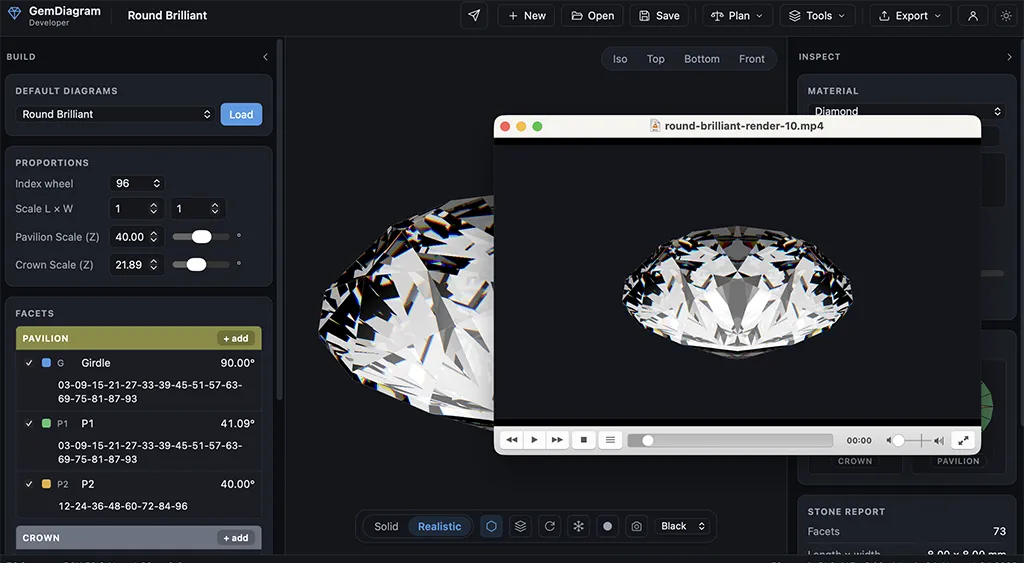
  • Record videos of renders
  • Gem Showcase — raytraced multi-gem lineup
  • Client Preview — shareable branded gem pages
  • Import diagrams from PDF
Buy Plan

Every feature, all four plans

This table mirrors exactly what each plan unlocks in the app — nothing here is aspirational.

Feature Free Starter Studio Pro
Included in every plan
Live 3D preview — Solid + Realistic Included Included Included Included
Pre-loaded gems Included Included Included Included
Ray Studio (pre-loaded gems) Included Included Included Included
Yield calculator Included Included Included Included
Materials (Diamond, Peridot, Glass) Included Included Included Included
Starter unlocks
Upload unlimited diagrams Not included Included Included Included
Edit + save file locally Not included Included Included Included
Export design as PDF Not included Included Included Included
Color editing (non-transparent) Not included Included Included Included
Full materials library Not included Included Included Included
Studio unlocks
Gem Designer Not included Not included Included Included
Cutting Assistant (no auto-cut) Not included Not included Included Included
Rough Planner Not included Not included Included Included
Screenshots of renders Not included Not included Included Included
Pro unlocks
Auto-cut (Cutting Assistant) Not included Not included Not included Included
Frosted edges & facets Not included Not included Not included Included
Record videos of renders Not included Not included Not included Included
Gem Showcase — raytraced multi-gem lineup Not included Not included Not included Included
Client Preview — shareable branded gem pages Not included Not included Not included Included
Import diagrams from PDF Not included Not included Not included Included

The features worth upgrading for

A closer look at the tools that come with Studio and Pro.

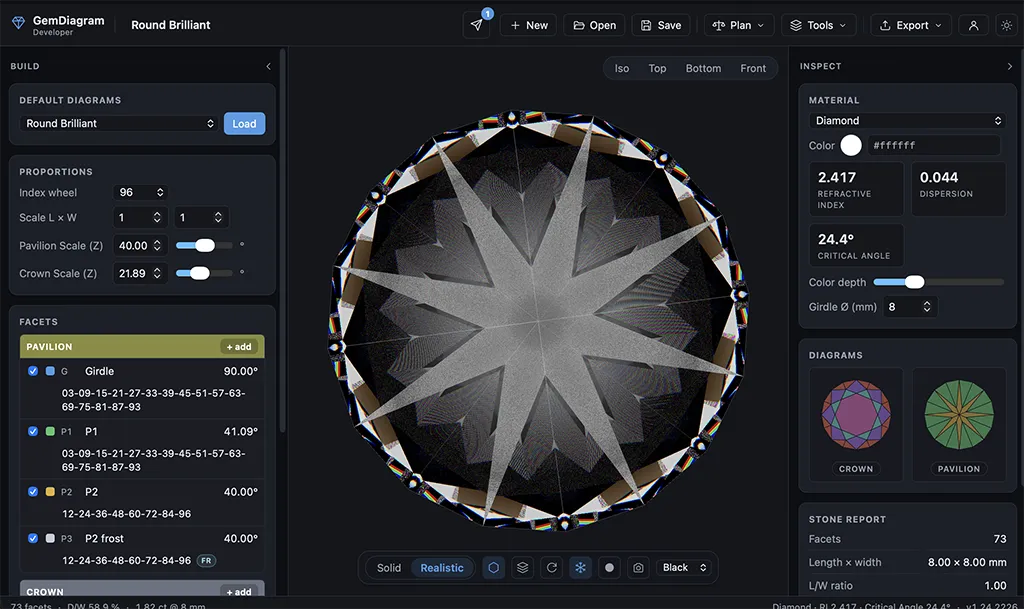
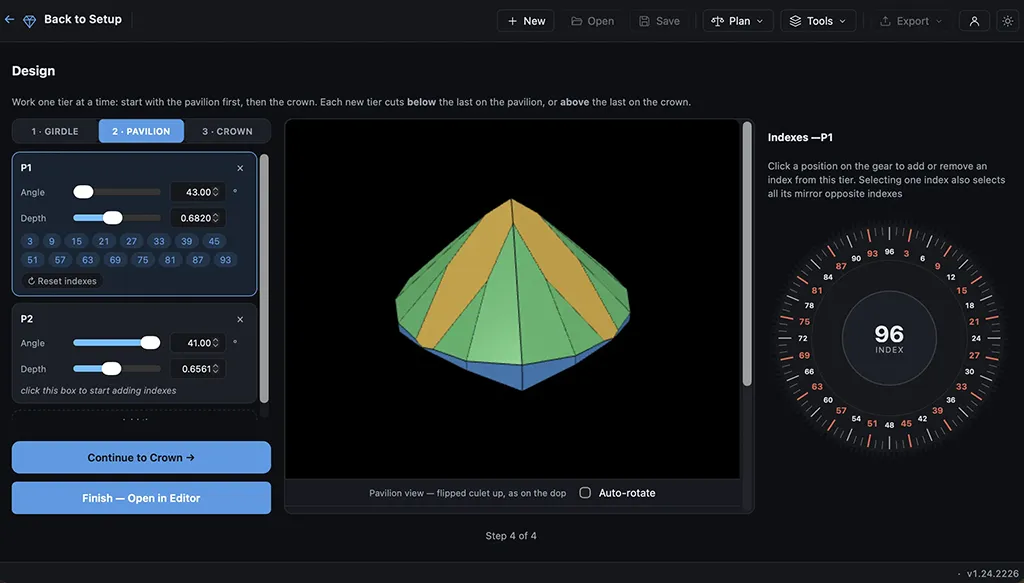
GemDiagram Gem Designer — building a custom gem cut from scratch with live 3D preview
Studio

Gem Designer

Build a cut from scratch instead of starting from a template. Set angles, distances, and index positions tier by tier, with a live 3D preview that updates as you design — the same engine behind every pre-loaded gem, now in your hands.

Learn more about Gem Designer
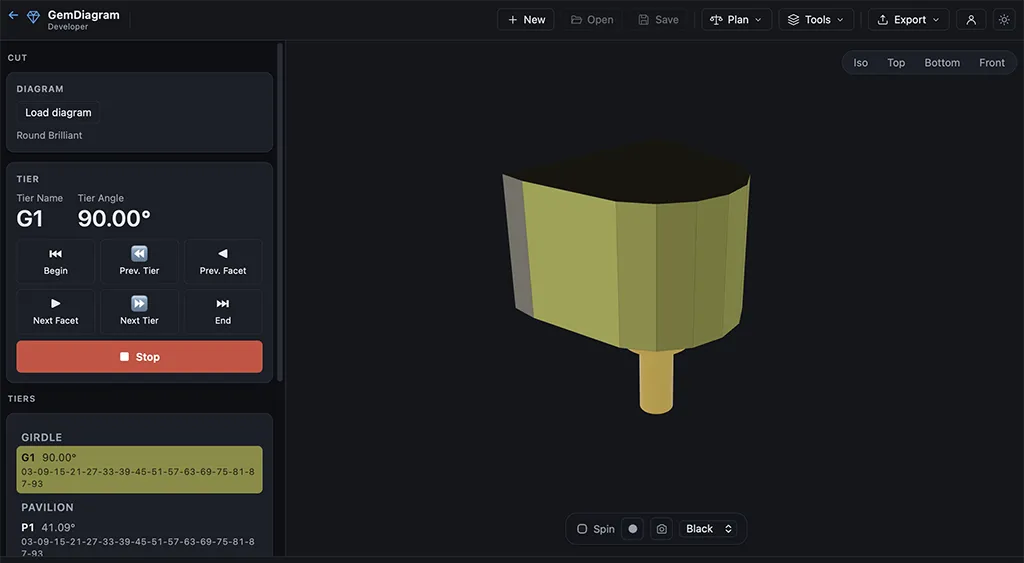
GemDiagram Cutting Assistant — step-by-step facet cutting sequence with progress tracking
Studio

Cutting Assistant (no auto-cut)

A tier-by-tier checklist that walks you through the cutting sequence at the machine. Mark each facet done as you go, track progress, and never lose your place mid-stone. Auto-cut (Pro) takes it further and drives the sequence for you.

Learn more about Cutting Assistant (no auto-cut)
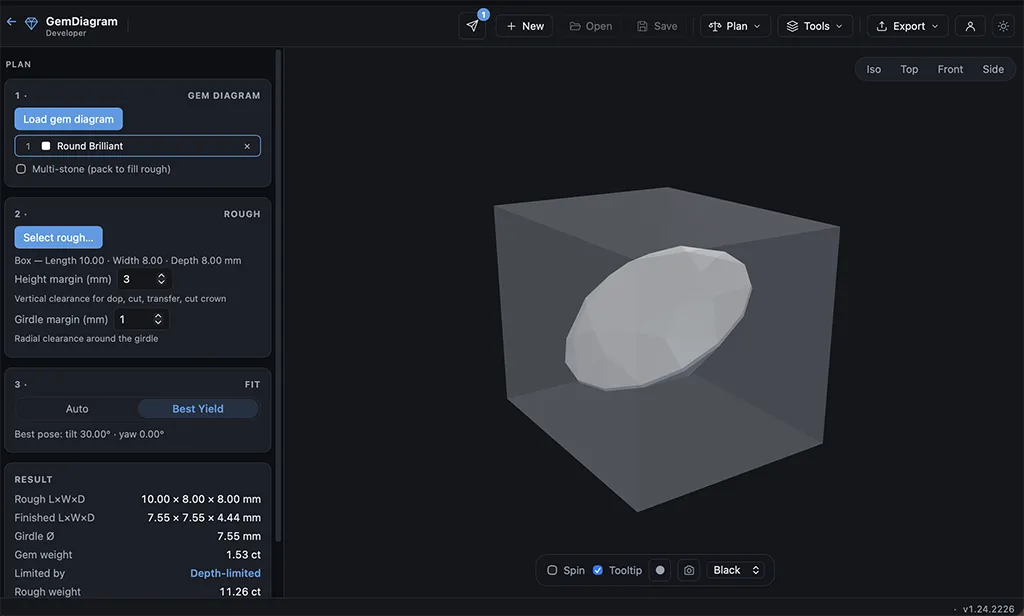
GemDiagram Rough Planner — best-orientation yield search for a piece of rough
Studio

Rough Planner

Find the best orientation to cut a given piece of rough before you touch the dop. Enter the rough's dimensions and material, then let Auto, Tilt-search, or Manual modes estimate yield and finished weight — cut with confidence, not guesswork.

Learn more about Rough Planner
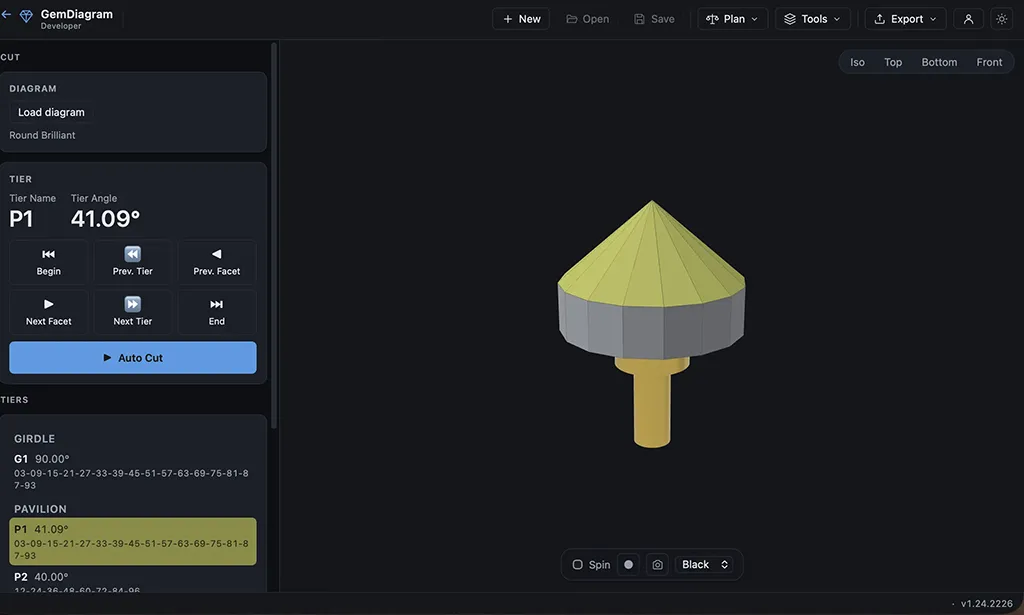
GemDiagram auto-cut — automated facet-by-facet cutting sequence
Pro

Auto-cut (Cutting Assistant)

Let the Cutting Assistant drive the entire sequence for you — angle by angle, facet by facet — instead of stepping through it manually. Built for studios cutting production volume who want the fastest path from rough to finished stone.

GemDiagram frosted edges and facets applied to a gem render
Pro

Frosted edges & facets

Add frosted edges and whole-facet frosting to any design, either by hand or by clicking directly on a facet in the 3D view. See exactly how the finished texture will read before it's cut.

GemDiagram video recording of a gem render in motion
Pro

Record videos of renders

Record an MP4 of your render in motion — turntable, light trace, or a custom path — wherever a record button appears. Built for portfolios, client previews, and presentations that a static screenshot can't carry.

What each tier adds

Starter

Make the app your own: upload unlimited diagrams, edit them, and save .facet files locally. Export your design as a PDF, edit gem color, and use the full materials library.

Studio

Unlock the authoring and analysis tools: the Gem Designer to build cuts from scratch, the Cutting Assistant for a step-by-step sequence at the machine, the Rough Planner, render screenshots, and the PDF diagram evaluation report.

Pro

Everything in Studio plus the power features: auto-cut in the Cutting Assistant, frosted edges and facets, and video recording of renders wherever a record button appears.

Switching from another tool?

GemDiagram imports designs from the faceting software you already use — no redrawing from scratch.

GemDiagram vs GemCAD

Open your existing .gem and .asc files and render them in realistic 3D — on any OS, nothing to install.

GemDiagram vs Gem Cut Studio

Import .gcs designs and add rough-yield planning, a step-by-step cutting assistant, and client preview links.

Common questions

Yes. Upgrades take effect immediately. Downgrades take effect immediately too — you lose access to the higher tier's features, but your saved .facet files stay yours.
No. The Free plan requires no card and doesn't expire. Paid plans require an active subscription to keep access.
Your local files stay on your device. You can re-subscribe anytime without losing work.
Just exploring? Start Free. Editing and sharing your own diagrams? Starter. Designing from scratch or planning rough? Studio. Want auto-cut, frosting, and video? Pro.