Pleochroism (Alexandrite)
Most gem materials show one color regardless of viewing direction. A pleochroic material shows different colors depending on which way light travels through its crystal structure — the classic example is alexandrite, which can look bluish-green or purplish-red depending on the angle and the light source. Gem Diagram models this for one built-in material.
Selecting it
Choose Chrysoberyl (Alexandrite) from the Material dropdown. The body Color row immediately grays out and stops responding to input:
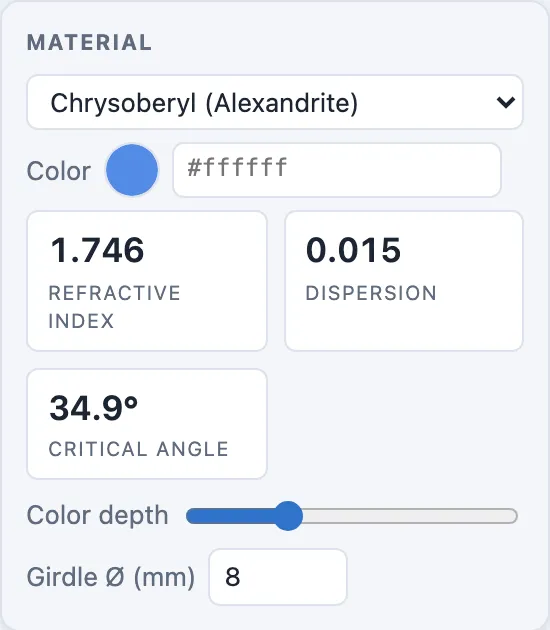
This material defines its own three colors, so there's no single body color for you to pick — the picker disables itself rather than showing a value that wouldn't actually be used.
How it's modeled
Internally, the material carries three fixed hex colors instead of one.
Each of the three colors is treated as its own absorption coefficient along one of three axes, and the Realistic-mode shader blends between them based on each traced ray's direction through the stone — so different facets, and the same facet seen from different viewing angles, can show different members of the trio. Color depth still applies the same way it does for any other material; it's only the single-color picker that's replaced.
Note
Chrysoberyl (Alexandrite) is the only built-in material with this three-color treatment. Every other material uses the single body color you set in the Color row — except Opal, which grays the picker out too, but for unrelated reasons: see Opal's Play of Color.
Why this matters for your design
If you're designing specifically to show off alexandrite's color change, faceting choices that change how light exits the stone — pavilion angle, crown angle, facet count per tier — change which of the three colors dominates from a given viewing direction, just as they would for any other material's brightness. There's no separate "pleochroism" control to tune; it falls out of the same angle and index-wheel decisions covered in Faceting Workflow: Angle, Index Wheel & Cut Distance.